



Songling Memos
Organise
Named for you, then kept the way you work.
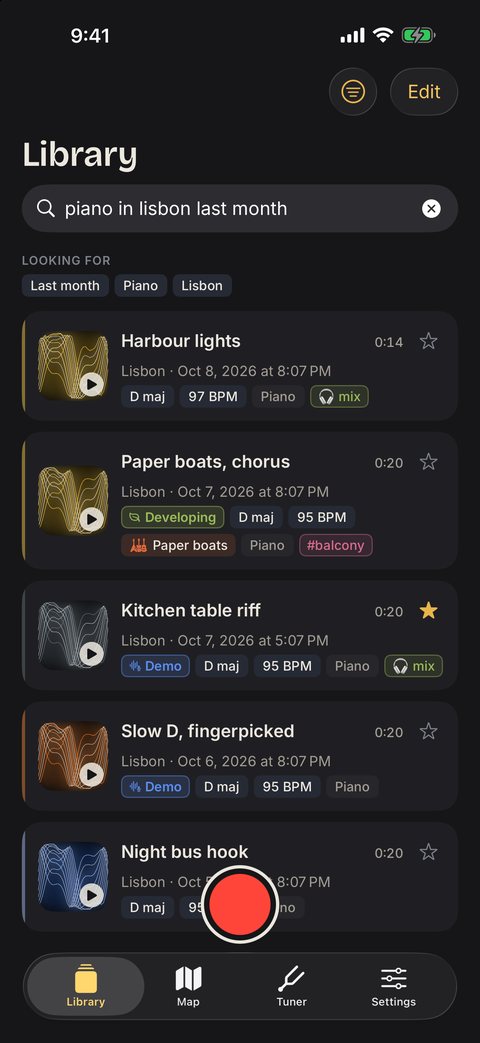
Find it by asking
- Search in plain words. “piano in lisbon last month”, “sad ideas in a minor”, “slow ones from last spring”. Songling reads the mood, the sounds, the place, the date, the key and the tempo out of what you type.
- Come back to these. Ideas you haven't opened in a while come back to the top of the library, before they're forgotten.
Named, and worked out
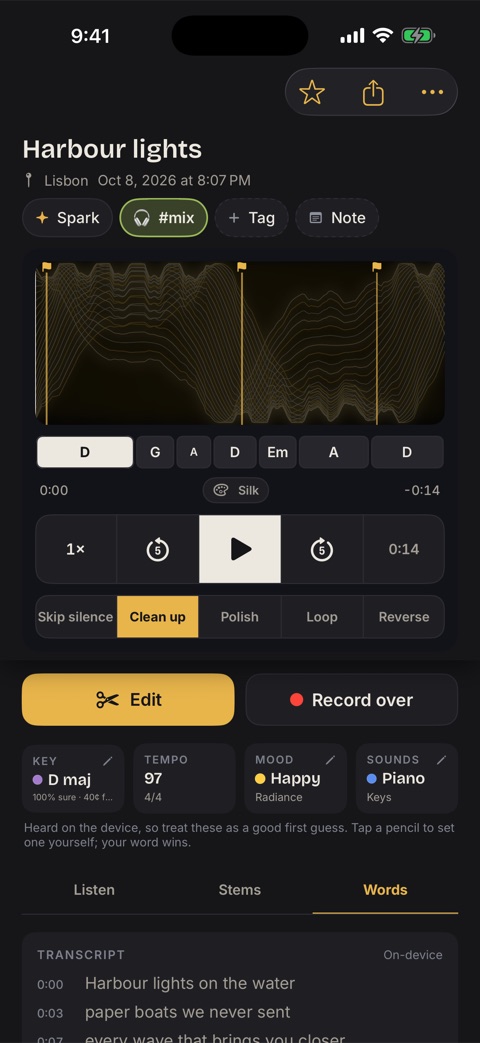
- Named for you. A name you'll recognise, plus key, tempo, mood and the instruments heard, worked out on your device. Your correction always wins.
- Pro Chords, stems and words. The chord timeline, the take split into its parts, and what you sang, timed to the music.
- Where it happened. Pinned on the map when location is on, so you can find an idea by where you had it.
From Spark to Finished, your way
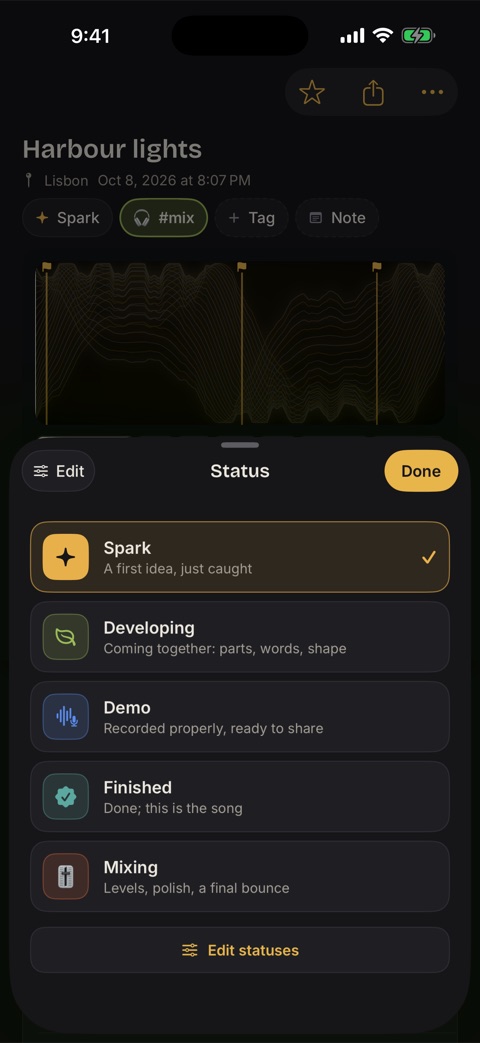
SparkDevelopingDemoFinished+ your own
- Statuses that fit how you work. Rename, reorder, recolour or delete any of them, and add your own, like Mixing. There's always at least one.
- Tags, folders and saved searches. “Minor-key ideas tagged chorus, still a Spark” stays one tap away.
- Songs and the keeper take. Every take of a song together, with the best one marked.